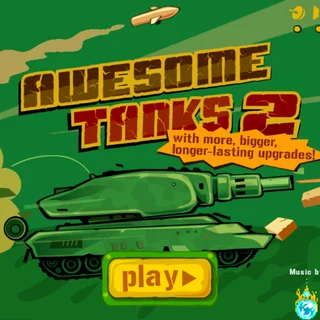
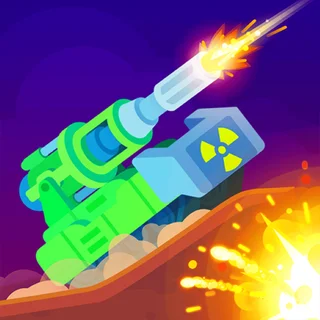





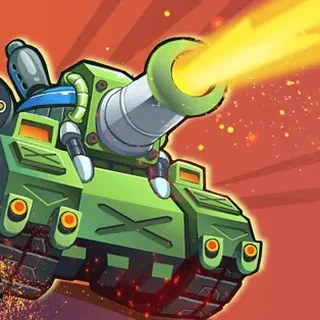
This is Awesome Tanks unblocked: the full game is loaded above, served from awesometanks.org itself, so it plays in an ordinary browser tab on a school Chromebook, laptop or phone — free, with no download and no account.
Awesome Tanks: a little tank, a big shop, and 15 levels of walls to shoot through
Awesome Tanks puts you in a small green-and-orange tank at the edge of a walled map. The rest of the map is dark: fog covers everything you have not driven close to yet, so you find the enemy by pushing forward. Somewhere out there are enemy tanks, fixed gun turrets and spawners, the concrete bunkers that keep sending out new tanks until you destroy them. Clear every enemy and the level is won.
Everything you destroy pays. A tank drops a handful of coins, wooden crates break open into coins, health, ammo or a freeze bonus, and at the end of the level the money goes to the upgrade screen. There you buy four performance upgrades — armour, movement speed, turret speed and sight, the radius you can see through the fog — and five weapons on top of the minigun you start with: shotgun, ricochet, cannon, rockets and laser. Every weapon except the minigun needs ammo, bought on the same screen.
The maps are made of stone walls you cannot break, brick walls you can, barrels that explode when shot, and gates. The early levels are small and friendly; by the later ones, spawners sit behind brick, turrets cover the corridors and the enemy tanks carry the same rockets and lasers you do. The game saves your money, upgrades and unlocked levels in the browser, so you can come back to it tomorrow.
Controls & mechanics
| Action | Control | Purpose |
|---|---|---|
| Drive | W A S D or the arrow keys | The camera follows the tank and leans towards the mouse, so you see further where you aim |
| Aim and fire | Mouse, hold the left button | The turret follows the pointer; the minigun never runs out |
| Pick a weapon | 1 – 6 | Minigun, shotgun, ricochet, cannon, rockets, laser — once bought |
| Next / previous weapon | E or Space / Q | Cycles through the guns that still have ammo |
| Pause | P | Also the pause button in the bar at the bottom |
| Phone or tablet | Left thumb drives, right thumb fires | On touch screens the turret aims itself at the nearest enemy |
How to get further in Awesome Tanks
- Kill the spawners first: A spawner keeps producing tanks for as long as it stands. Fight through to it and destroy it, and the level stops refilling behind you.
- Buy armour early: Armour is the most expensive upgrade and the one that matters most. The first level of it is worth more than a new gun you cannot yet afford ammo for.
- Upgrade the minigun: It is the only gun with endless ammo. Its upgrades are cheap, and a fast minigun carries you through the first third of the game.
- Shoot the barrels: Barrels explode and hurt anything near them. Wait for an enemy tank to roll past one and let the barrel do the work.
- Break crates for health: Crates hide health and ammo as well as coins. When you are low, look for wood before you look for the next fight.
- Keep moving against rockets: Enemy rockets follow you, but only for so long. Drive in a wide circle and they burn out — outlast 15 of them for the Dodger medal.
Key features
- 15 levels: Grass and snow maps, from one room to mazes of brick walls with turrets on every corner.
- Six guns: Minigun, shotgun, ricochet, cannon, rockets and laser, each with upgrades of its own.
- Four performance upgrades: Armour, speed, turret speed and sight — how far you see through the fog.
- Three difficulties: Easy, medium and hard, and you can change it on the upgrade screen.
- Five medals: Hunter, Destroyer, Dodger, Treasurer and Ultracombo, each for a real feat.
- Saves in the browser: Money, upgrades and unlocked levels stay on your device between visits.
Game info
- Title: Awesome Tanks
- Developer: Alexander Gette
- Category: Tank Games
- Platform: Web browser (HTML5)
- Credits: Programming Alexander Gette · art Jurij Krivonos · music Waterflame (Christian M. Krogsvold) · HTML5 build self-hosted on awesometanks.org
Pro tip: Sight is the cheapest upgrade that changes how you play. Seeing further through the fog means you spot turrets before they spot you, and you can fire first from a safe distance.