
Battleship War Unblocked — Play Free Online
More War & Shooting games
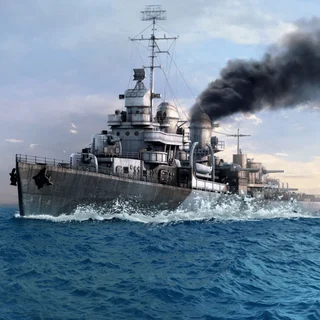

Battleship War unblocked: play Battleship War online free right here in your browser — no download, no sign-up, works on a school Chromebook.
Battleship War brings the timeless paper-and-peg naval duel to the browser with fast tactical pacing and crisp ocean visuals. Instead of waiting around for physical board pieces or lengthy matchmaking, you can immediately jump into an artillery showdown against a sharp computer opponent. The core tension remains as potent as ever: guessing where your adversary tucked their armada while trying to keep your own coordinates hidden behind the fog of war.
For players visiting Awesome Tanks who enjoy outthinking enemy positions and trading destructive volleys, Battleship War delivers a satisfying tactical break. It trades real-time dodging for calculated probability, making every successful hit feel like a hard-earned breakthrough and every near-miss a clue for your next salvo.
How to play
Every match begins in the deployment phase. You are given a fleet of vessels of varying lengths, ranging from a compact patrol boat to a massive aircraft carrier. You can arrange your ships across your ten-by-ten ocean grid by dragging them into place and rotating their orientation, or you can click the auto-placement button to randomize their spots.
Once both fleets are anchored, the battle phase opens:
- Click on any coordinate square on the opponent's hidden radar grid to launch an artillery shell.
- A white splash confirms a water miss, while an explosion and rising smoke signal a direct strike on an enemy hull.
- When you land a hit, concentrate your subsequent shots on adjacent tiles (north, south, east, and west) to map out the rest of the ship.
- Once every sector of a vessel is destroyed, the game announces the sunken ship. The first commander to sink all enemy hulls claims victory.
In addition to Classic mode, Battleship War features an Advanced mode with special ordnance. Scoring hits earns tactical points that unlock radar sweeps to scan hidden sectors, aerial bombardments over clustered tiles, and multi-missile salvos to clear grid zones quickly.
Tactical tips for naval combat
A few fundamental naval strategies will sharply improve your win rate against the computer:
- Use checkerboard parity: Because the smallest warship occupies at least two adjacent tiles, you do not need to fire into every single grid cell. Firing in an alternating checkerboard pattern cuts the search area in half while guaranteeing you will cross every hidden vessel.
- Scatter your fleet: Avoid clustering your ships along the perimeter or bunching them into one corner. Spacing them out across the board prevents the enemy AI from stumbling into a second vessel right after sinking your first.
- Follow the line of fire: As soon as you score a hit, probe the four immediate cardinal directions. Once a second hit confirms the ship's horizontal or vertical alignment, continue firing along that line until the vessel sinks.
Similar games on Awesome Tanks
If you enjoy the strategic planning and explosive combat of Battleship War, explore other tactical titles in our library. Call of Tanks lets you manage base defenses and deploy armored columns down contested lanes. Fortz focuses on building fortified ramparts and exchanging heavy cannon fire against rivals, while Tank Stars and Hills of Steel challenge your trajectory calculations with artillery duels across rugged terrain.
Questions about Battleship War
Is Battleship War unblocked at school?
Battleship War runs in an ordinary browser tab from awesometanks.org, with nothing to download or install, so it plays on most school Chromebooks and work computers. If a network filter blocks the site, only that network's administrator can change it.
What is the difference between Classic and Advanced mode in Battleship War?
Classic mode follows traditional turn-by-turn rules with single shots per round, while Advanced mode introduces special support attacks such as airstrikes and radar reconnaissance.
How do you control and position ships in Battleship War?
You use your mouse or touchscreen to drag ships onto your ocean grid and tap to rotate their orientation before battle begins, then click target coordinates to fire.
Can you play Battleship War on a mobile device or Chromebook?
Yes, the HTML5 engine runs smoothly in modern web browsers across Chromebooks, tablets, smartphones, and desktop computers without downloading extra software.
More games
 Basket Random
 Soccer Random
 Basketball Legends
 Basket Bros
 Bouncy Basketball
 Axis Football League
 American Football Challenge
 Tecmo Bowl
 Drift Boss
 Drift Hunters
 Moto X3M
 Slope
Slope Run 2
Run 2 Chrome Dino
 Color Tunnel
 Tunnel Rush
 Crazy Cars
 Doodle Jump
 Flappy Bird
 World's Hardest Game
 Elastic Man
 Highway Traffic
 OvO
OvO OvO 2
OvO 2 Little Alchemy 2
 Hearts
 FreeCell